 ChatGPT Summary
AI tool
FullPage Capture: give ChatGPT, Claude or Gemini the whole web page
A full page screenshot as one PNG or PDF, so the AI sees the whole page, not one screen.
Home › Best AI tools › Color Picker
Tell an AI to make something "dark blue with a bright accent" and you get its idea of dark blue. Give it #0c0f1c and #59cbef and you get yours. Color Picker from colorspicker.net, a free tool, reads exact HEX codes from any web page or image and pulls a whole palette from a picture. Those codes are what make AI design work, image prompts and generated CSS come out the way you meant.
With the color picker Chrome extension, hover over any element on a page and click to copy its color. Collect the background, text and accent colors, then tell the AI: "Design a pricing section using these colors: background #0c0f1c, text #c8c4c2, accent #59cbef."
Upload a screenshot, a photo or a mood board to the free online color picker and it extracts eight dominant colors automatically. That's the fastest way to brief an AI image or design tool with a palette taken from a real reference instead of adjectives.
Ask ChatGPT for a palette and it'll give you HEX codes, but it can't show you how they look together. Paste each code into the hex color picker to see it, along with shades, tints and harmonies, before you commit to it. An AI color palette generator gets you ideas; a color picker tells you whether they work.
We used fullpagecapture.net as a test. First we took a full page screenshot of the homepage (a single image 9,502 pixels tall), then uploaded it to colorspicker.net. The automatic palette started with the site's base colors:
Six of the eight colors extracted from the full-page capture.
The palette missed one thing: the bright blue of the "Save" headline, a small area next to a large photo. Photos tend to take over an automatic palette. We clicked the headline with the eyedropper on the uploaded image and got #59cbef (RGB 89, 203, 239).
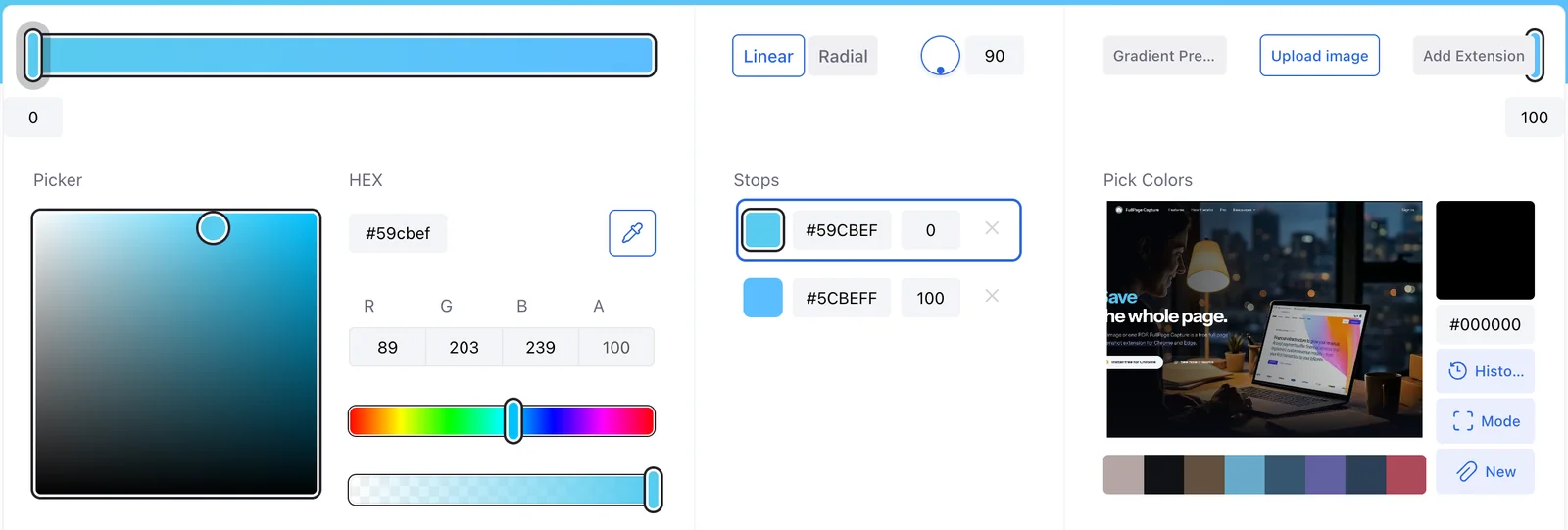
With roles assigned (background #0c0f1c, text #c8c4c2, secondary #5c6672, accent #59cbef), that's a complete set of brand colors you can hand to any AI chat or design tool.
| Task | Prompt |
|---|---|
| Web section | Write HTML and CSS for a hero section. Background #0c0f1c, text #c8c4c2, buttons #59cbef. |
| Image | A flat illustration of a desk at night, palette limited to #0c0f1c, #5f6ea7 and #59cbef. |
| Palette check | Is #c8c4c2 text on #0c0f1c readable for body copy? Give the contrast ratio. |
| Extend a palette | Suggest a warning color and a success color that fit with #0c0f1c and #59cbef. |
Yes, it can suggest HEX codes from a description. Check them in a color picker before you use them, because a palette that reads well as text doesn't always look good together.
Use a color picker extension to click the main elements, or capture the whole page and upload it to an image color picker that extracts the palette. Then pick small accents by hand with the eyedropper.
Color names are vague, and every model interprets them differently. HEX codes are exact, so the result matches across tools and attempts.
Give the AI exact colors, not adjectives.